
Course Detail Page
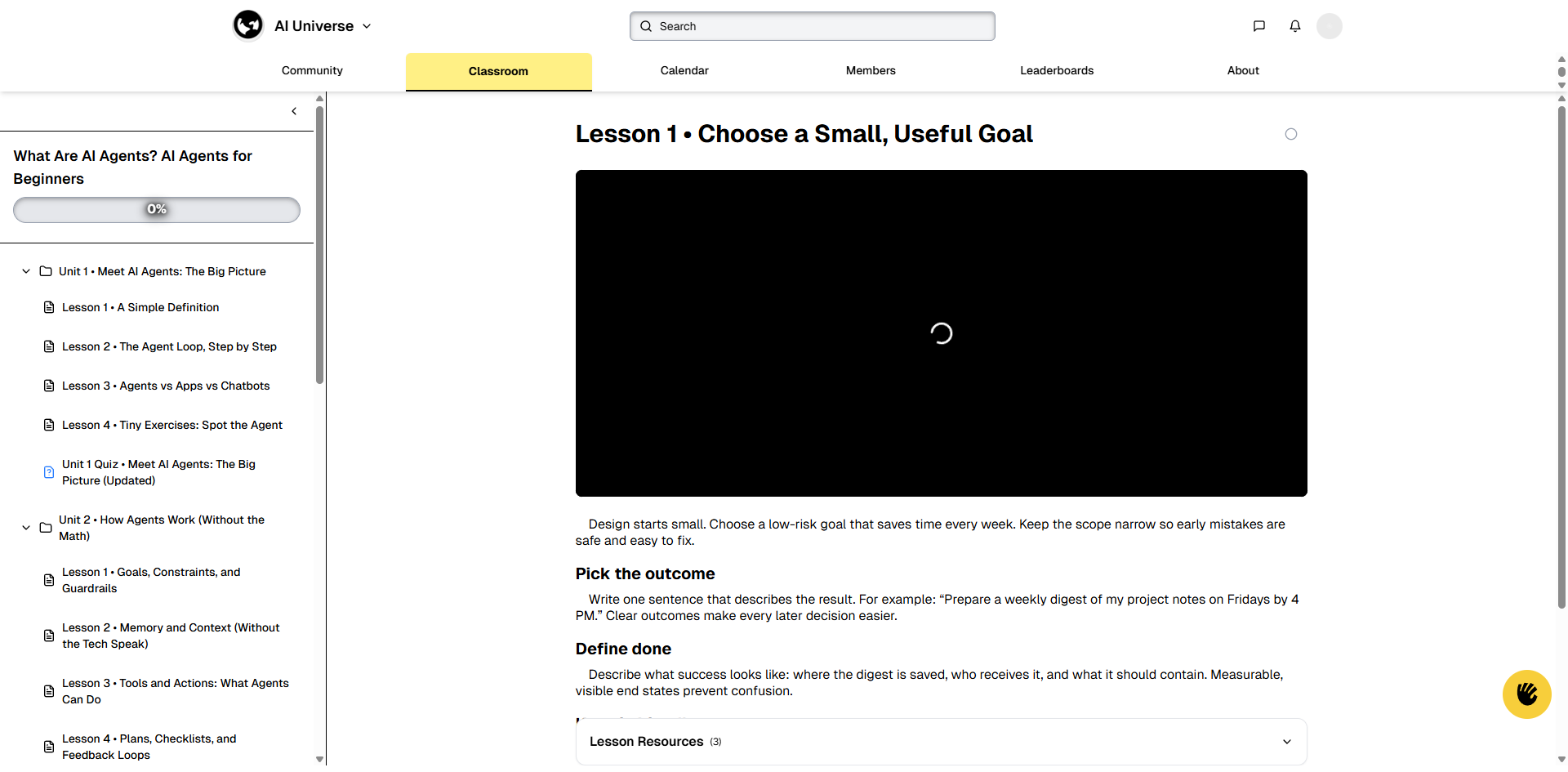
The Course Detail page shows the full course structure with all units and lessons.
Key Elements:
-
Header:
-
Back Button: Arrow icon to return to classroom
-
Course Title: "What Are AI Agents? AI Agents for Beginners"
-
Progress Bar: Shows overall course completion (e.g., "0%")
-
-
Left Sidebar (Course Navigation):
-
Units & Lessons: Expandable tree structure
-
Unit Headers: Click to expand/
collapse units -
Lesson Items: Individual lessons within each unit
-
Icons:
-
Document icon for lessons
-
Quiz icon (box with "P") for quizzes
-
-
Current Lesson Indicator: Highlights the active lesson
-
-
Main Content Area (Lesson Viewer):
-
Lesson Title: "Lesson 1 • Choose a Small, Useful Goal"
-
Mark Complete Button: Checkmark button to mark lesson as complete
-
Video Player: Large video player area (shows loading spinner if loading)
-
Lesson Content: Text content, headings, and instructions
-
Lesson Resources: Expandable section showing resources (e.g., "Lesson Resources (3)")
-
Next Lesson Button: Navigate to the next lesson
-
How to Use:
-
Navigate through course structure using the left sidebar
-
Click on any lesson to view it
-
Watch video content in the main player
-
Read lesson text content below the video
-
Expand "Lesson Resources" to access additional materials
-
Click "Mark lesson as complete" when finished
-
Use "Next Lesson" button to continue to the next lesson
-
Track your progress with the progress bar at the top