
Member Profile Page
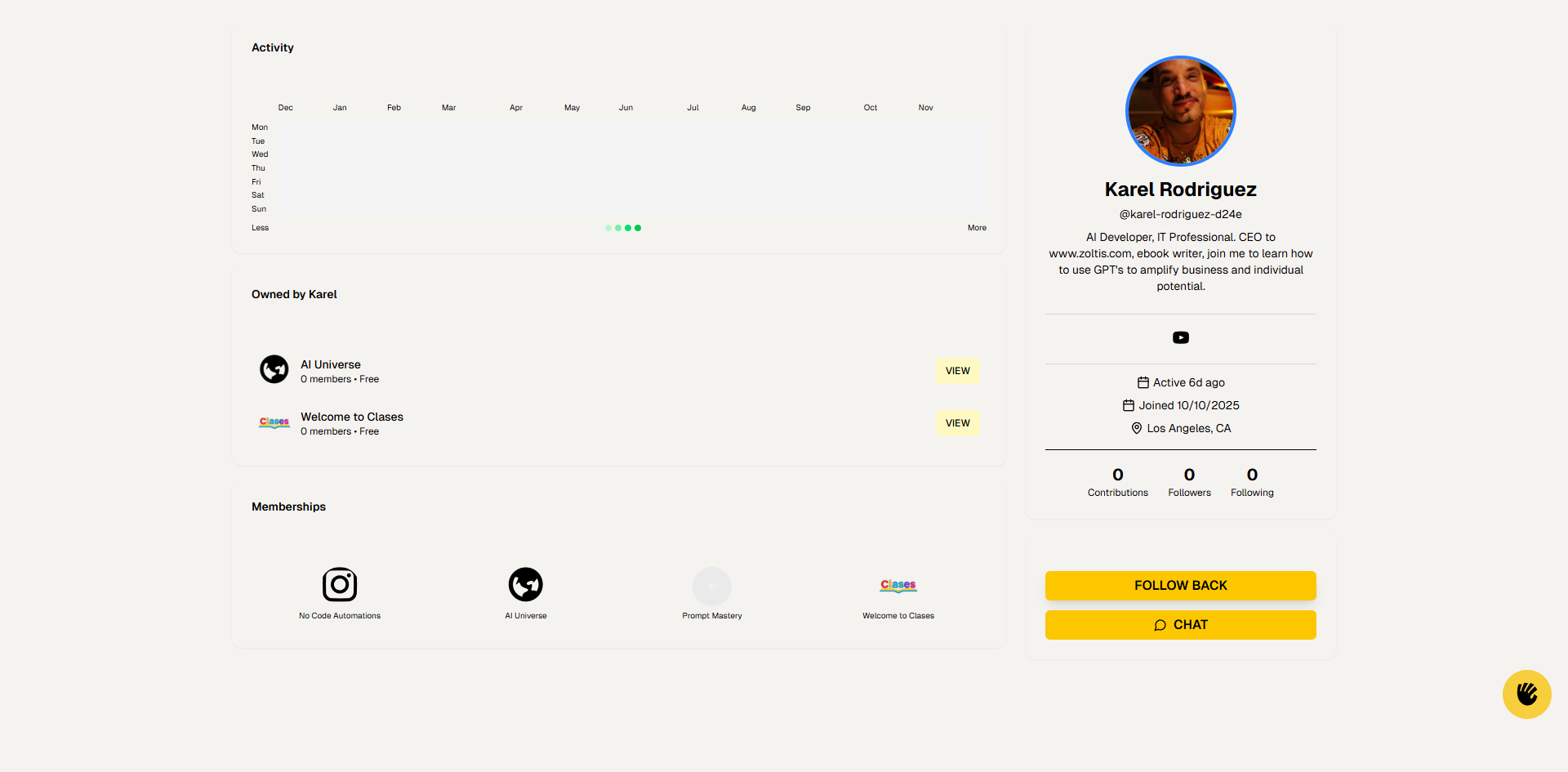
Member profile pages show detailed information about any user on the platform.
Key Elements:
-
Profile Header (Right Side):
-
Profile Picture: Large circular avatar
-
Name: User's full name (e.g., "Karel Rodriguez")
-
Username: "@karel-rodriguez-d24e" - unique identifier
-
Bio: User's biography/
description -
Social Links: Icons for external profiles (e.g., YouTube)
-
Activity Info:
-
Active: "Active 6d ago" - last activity timestamp
-
Joined: "Joined 10/
10/ 2025" - account creation date -
Location: "Los Angeles, CA" - user's location
-
-
Engagement Metrics:
-
Contributions: Number of posts/
comments (e.g., "0") -
Followers: Number of followers (e.g., "0")
-
Following: Number of users they follow (e.g., "0")
-
-
Action Buttons:
-
FOLLOW BACK: Follow this user (if they follow you)
-
CHAT: Start a direct message conversation
-
-
-
Activity Calendar (Left Side):
-
Title: "Activity"
-
Calendar Grid: Visual representation of user activity over time
-
Months: Horizontal row showing months (Dec through Nov)
-
Days of Week: Vertical column (Mon through Sun)
-
Activity Dots: Green dots indicate days with activity
-
Less/
More Toggle: Expand or collapse the calendar view
-
-
Owned Communities Section:
-
Title: "Owned by [Name]"
-
Community Cards: Lists communities this user owns
-
Each card shows:
-
Community icon/
logo -
Community name
-
Member count and pricing (e.g., "0 members • Free")
-
VIEW Button: Navigate to that community
-
-
-
Memberships Section:
-
Title: "Memberships"
-
Community Icons: Circular icons representing communities the user is a member of
-
Click any icon to navigate to that community
-
How to Use:
-
View user's profile information and activity
-
Check their engagement metrics (contributions, followers, following)
-
Review their activity calendar to see participation patterns
-
See communities they own or are members of
-
Click "FOLLOW BACK" to follow them
-
Click "CHAT" to send a direct message
-
Click community icons/
cards to visit those communities -
Use the activity calendar to understand their engagement level